
WPGraphQL vs REST API for Headless WordPress in 2026
WPGraphQL or REST API? Discover which approach is best for headless WordPress based on your content architecture, frontend requirements, scalability goals, and long-term development strategy.
WordPress Development

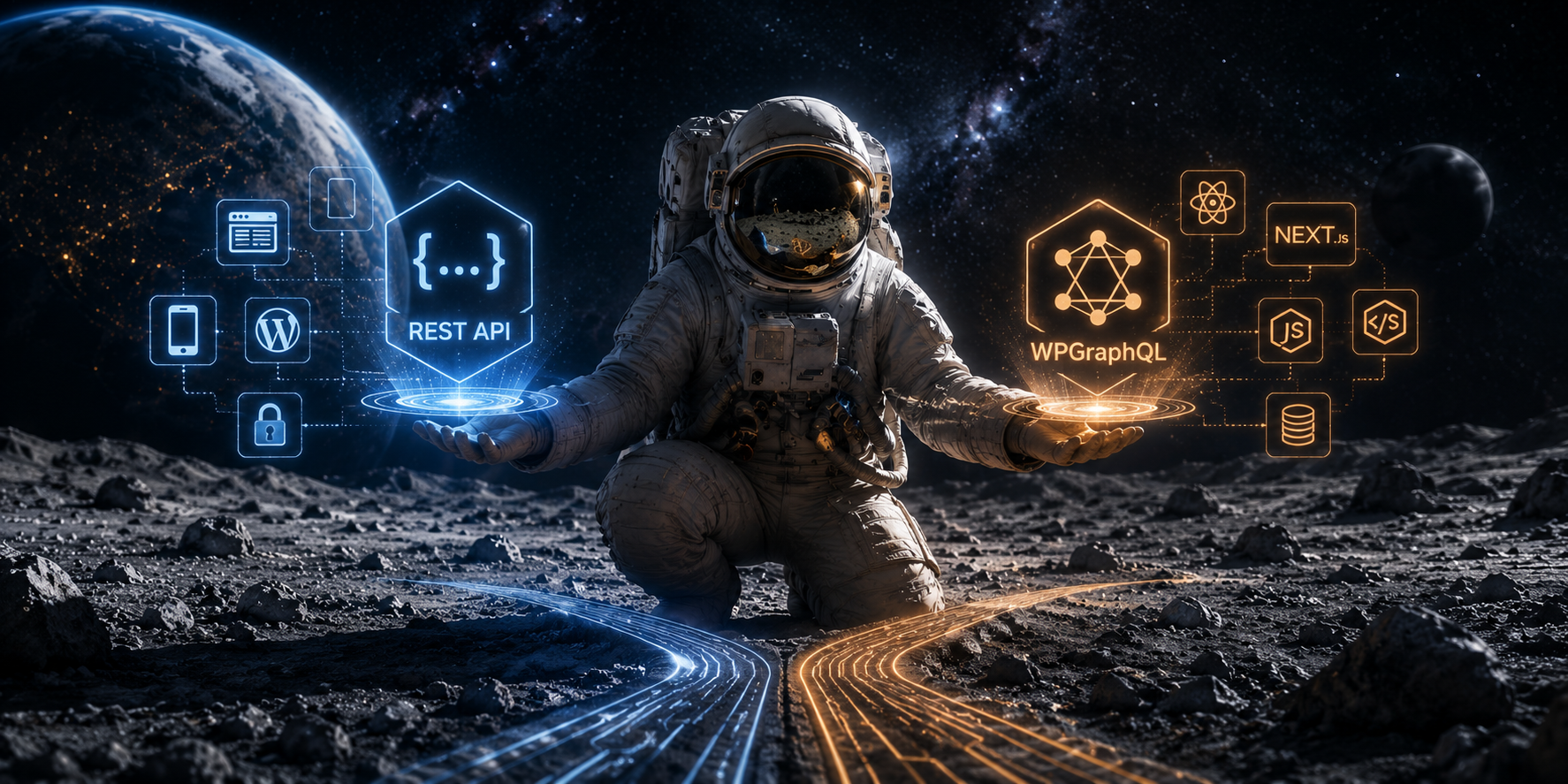
When a WordPress site becomes headless, one architectural decision shapes almost everything that follows. How will the frontend get content from WordPress?
For most teams, the choice comes down to two options. The first is the WordPress REST API, which is built into WordPress core and provides JSON endpoints for site data. The second is WPGraphQL, a free open source plugin that adds a GraphQL schema and a /graphql endpoint to WordPress. Both are valid. They solve the same business problem in different ways, and the right choice depends on the content model, the frontend stack, the team’s experience, and the level of control the project needs over the data layer.
For DreamDev, this topic fits naturally into the existing brand. The company already positions itself around custom WordPress development, headless WordPress solutions, and technical SEO, so API architecture is directly relevant to the audience it serves. DreamDev also frames headless work as something that should support real business goals, not just modern technology choices.
The short answer
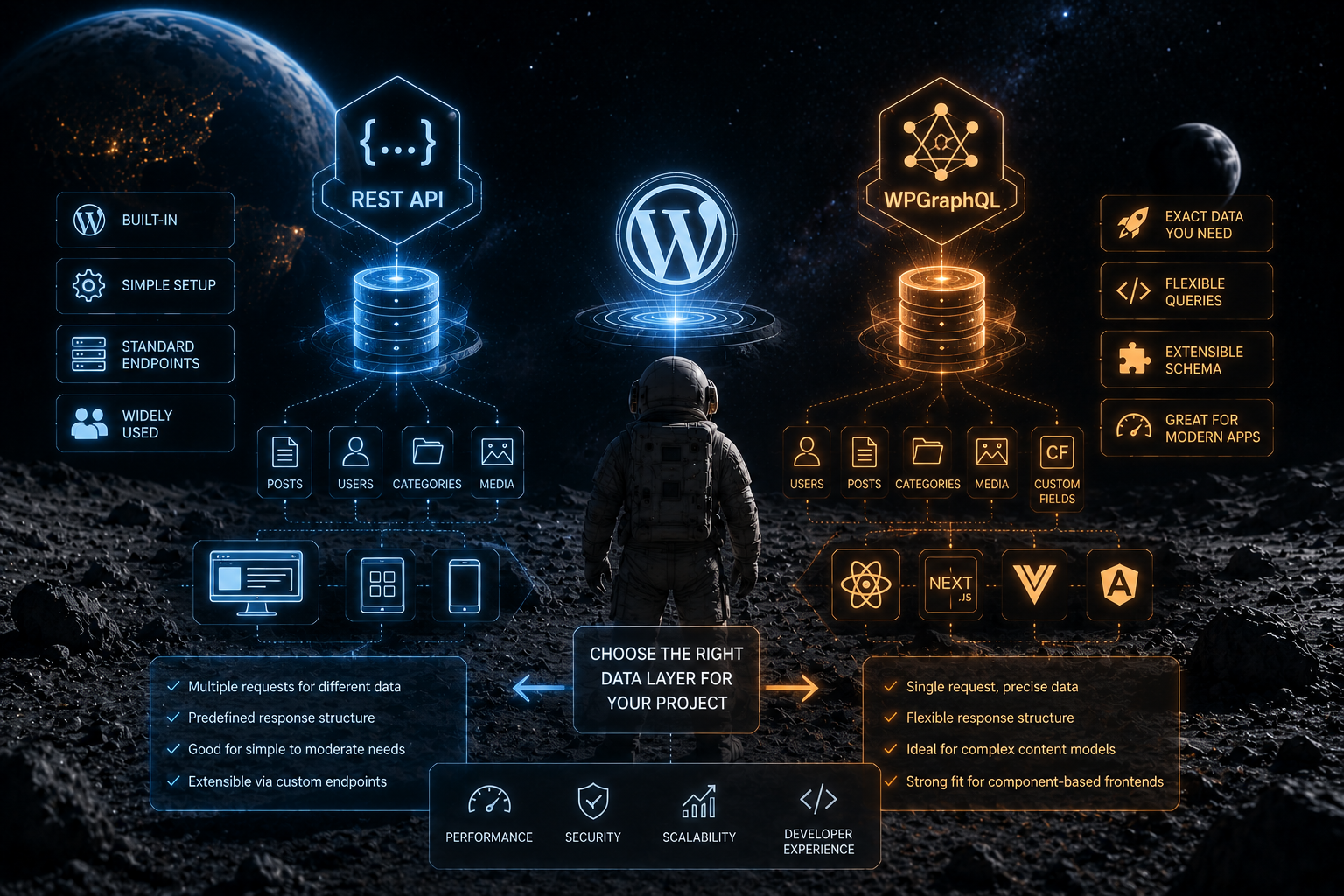
Use the WordPress REST API when you want a built in, straightforward, and familiar way to connect WordPress content to another application. Use WPGraphQL when the frontend needs precise control over the data it requests, a cleaner way to work with complex content models, and a developer experience that fits component based frontends. WPGraphQL is often a better fit when the frontend is doing more of the work, although it also introduces additional considerations around schema management, query complexity, caching, and security controls.
Comparison table
| Feature | WPGraphQL | WordPress REST API |
| Data access | Query exactly what you need | Use predefined endpoints |
| Setup | Requires a plugin layer | Built into WordPress core |
| Frontend fit | Excellent for modern JS apps | Strong for standard integrations |
| Complexity | Better for complex content models | Simpler for many sites |
| Developer experience | Strong when queries are well designed | Familiar and predictable |
| Headless use | Often preferred in advanced builds | Works well for simpler builds |
That is the core tradeoff. REST is the safer default for many projects. WPGraphQL becomes more attractive as the content architecture, frontend requirements, and integration complexity grow.
What the WordPress REST API does well
The WordPress REST API lets applications send and receive JSON data from WordPress. It is the foundation of the WordPress Block Editor, and it also supports custom themes, plugins, mobile apps, and separate frontend applications. WordPress documentation is also explicit that you do not need to use the REST API if your site already works the way you expect, which makes it a strong default rather than a mandatory layer.
REST is especially useful when the site structure is standard, the team wants a low complexity setup, and the frontend does not need deeply customized data shaping. WordPress also documents how developers can extend the REST API with custom endpoints and additional support for custom content types, so teams are not limited to the default routes. In other words, REST is simple by default, but still flexible enough for many practical headless WordPress builds.
What WPGraphQL does differently
WPGraphQL is built on a different idea. Instead of relying on several endpoint calls for different pieces of data, the frontend can request exactly the fields it needs through a single GraphQL query. Similar optimizations are possible with custom REST endpoints, but GraphQL provides this capability as part of its query language.
This matters in headless builds because frontends often need content, authors, categories, custom fields, Gutenberg blocks, and related items at the same time. WPGraphQL is designed to expose that data in a way that fits modern frontend architectures. It works with both Classic Editor and Block Editor content, and it supports custom fields through register_graphql_field and the WPGraphQL for ACF extension. Custom post types can also be added to the schema.
For projects that rely heavily on Advanced Custom Fields, custom post types, and complex relationships between content types, WPGraphQL often provides a more structured and developer friendly way to expose and consume that data. At the same time, the REST API can also support these use cases through custom endpoint development and additional response shaping.
Gutenberg blocks, ACF, and custom content models
For modern headless WordPress projects, Gutenberg blocks are often one of the biggest implementation challenges, not just authors and categories. WPGraphQL supports Block Editor content, but by default block content is returned as rendered HTML in the content field. If a project needs more structured block data, extensions such as WPGraphQL Content Blocks are used.
That means WPGraphQL can work well for content rich projects, but teams should not assume that every WordPress data type becomes magically simple. Block templates, theme.json data, and some advanced Full Site Editing related structures are not exposed in the schema by default and may require custom code.
For ACF heavy builds and custom post type driven sites, the main advantage of WPGraphQL is that the schema can mirror the way the content model is actually organized. That can make the frontend easier to reason about, especially in component based architectures. REST can still handle these cases, but the team may need extra endpoint work or custom response logic to keep the data shape clean.
Authentication and authorization matter a lot
For authenticated content, eCommerce, or membership based applications, teams should also consider how authentication and authorization will be handled across the API layer. This is not a side detail. It is part of the architecture. WordPress REST API supports the same authentication restrictions as WordPress itself, meaning public content is generally public, while private content, password protected content, internal users, custom post types, and metadata require authentication or explicit exposure.
WPGraphQL also supports standard WordPress authentication methods, including cookie authentication, application passwords, and JWT authentication via extension. It also supports batching and file uploads, while GET requests can be cached at the network level and additional caching can be added through WPGraphQL Smart Cache. That makes it suitable for more advanced setups, but it also means teams need a clear security and caching strategy from day one.
The important point is simple. Headless WordPress can reduce direct exposure of the traditional WordPress frontend, but the API becomes the new surface that must be protected. Security does not come automatically from architecture alone. It comes from proper authentication, authorization, and implementation discipline.
Performance is real, but it is not automatic
It is tempting to assume that WPGraphQL is always faster because it can fetch only the fields a page needs. In practice, performance depends on caching strategy, query design, backend optimization, and application architecture. WPGraphQL supports caching at the network layer for GET requests, but the final result still depends on how the system is built and deployed.
REST can also be efficient. It supports _fields for limiting the returned payload, and it can be extended with custom endpoints that return exactly what a page needs. So the real question is not whether one API is inherently fast. The real question is which data layer gives the team the cleanest path to building a maintainable system that performs well in production.
DreamDev’s technical SEO work reinforces the same point. The company focuses on load time, mobile performance, URL structure, duplicate content cleanup, Core Web Vitals, and XML sitemaps. That is a useful reminder that architecture and SEO should be planned together, not treated as separate decisions.
How this affects SEO
The API itself does not directly rank pages. What it affects is everything around the page that Google cares about, including rendering quality, metadata delivery, crawlability, internal linking, page speed, and how consistently content is delivered across templates. Google’s guidance also emphasizes helpful content, logical site organization, descriptive URLs, and crawlable structure.
That is why API choice matters. In a headless setup, the frontend must still make pages discoverable and indexable. If important content is only available after client side rendering, if metadata is incomplete, or if internal links are handled inconsistently, SEO can suffer regardless of whether the backend uses REST or GraphQL.
DreamDev’s broader headless WordPress position reflects that reality. Headless can improve UX, scalability, and, in some scenarios, performance, but it is not automatically better for every project. The same article also notes that headless should be chosen when it solves a real business problem, not because it sounds modern.
Real world example
Imagine a homepage built with Next.js that needs hero content, featured posts, author information, categories, custom fields, SEO metadata, and related content. With the WordPress REST API, the frontend may need multiple requests unless custom endpoints are implemented. With WPGraphQL, the same data can often be retrieved through a single query tailored to the page requirements. WPGraphQL also works with any GraphQL client that follows the specification, and its compatibility guide explicitly lists Next.js oriented tooling such as FaustJS.
That does not automatically make WPGraphQL better for every team. It does, however, make the data flow cleaner in projects where the frontend owns more of the composition work and where the content model is rich enough to justify the extra schema layer.
Developer experience
For developers, REST and GraphQL feel very different. REST is easier to learn because it follows standard endpoint logic, and WordPress already documents how to extend it for custom data. That is especially helpful for teams that want predictable patterns and low onboarding friction.
WPGraphQL usually feels better once the team is comfortable with GraphQL. The query model is more expressive, the response shape is more predictable for component driven frontends, and it fits well with modern JavaScript stacks. WPGraphQL supports frameworks and clients such as Next.js through the broader GraphQL ecosystem, including FaustJS and Apollo style clients.
The catch is that the better developer experience comes with its own responsibilities. Teams need schema discipline, query governance, caching strategy, and security controls. That tradeoff is normal, and it is one reason WPGraphQL is often strongest in projects where the benefits outweigh the added operational complexity.
What DreamDev would recommend
For simple and moderately complex WordPress sites, the REST API is often the most practical choice. It is built in, stable, and familiar to most developers. It also avoids introducing an extra abstraction layer when the project does not need one.
For projects with complex content relationships, extensive frontend data requirements, or a strong preference for GraphQL based development, WPGraphQL may provide a more flexible long term solution. It is especially useful when the content model includes ACF, custom post types, Gutenberg blocks, and frontend logic that benefits from more precise data shaping.
The real decision should align with the project’s business goals, team expertise, maintenance requirements, and long term scalability needs. DreamDev explicitly frames WordPress architecture this way, with a focus on business analysis, technical SEO, and future ready implementation.
Common mistakes to avoid
The first mistake is choosing the API before defining the content model. The second is overengineering the stack for a site that does not need that level of complexity. The third is assuming that headless automatically solves security or SEO problems. It does not. Those outcomes depend on implementation quality.
The fourth mistake is ignoring the team. A project can be technically elegant and still be a poor choice if the team only knows REST, or if the maintenance burden of GraphQL does not match the business context. A good architecture is not the most fashionable one. It is the one the team can build, support, and evolve effectively.
Final recommendation
If the project is simple, start with the WordPress REST API. It works out of the box and is enough for many headless use cases.
If the project has complex content relationships, richer ACF driven structures, Gutenberg heavy templates, or a frontend that benefits from more precise data shaping, WPGraphQL is often the stronger long term option. That does not make it mandatory for advanced projects. It just makes it a very good fit in the right context.
The real question is not which API is more popular. The real question is which one helps the business build faster, scale more cleanly, and maintain quality over time. DreamDev already works in exactly that space, from custom WordPress development to headless architecture and technical SEO. When a project needs a modern WordPress stack built for growth, that is the right time to plan the architecture carefully.
FAQ
Is WPGraphQL replacing the WordPress REST API?
No. The REST API is built into WordPress core and remains the native JSON interface for WordPress, while WPGraphQL is an additional plugin layer for GraphQL based querying.
Can WPGraphQL work with Next.js?
Yes. WPGraphQL is framework agnostic and works with GraphQL clients used in modern JavaScript stacks, including Next.js oriented setups.
Does the REST API still make sense for headless WordPress?
Yes. WordPress describes the REST API as a structured and extensible way to get data in and out of WordPress, and it remains a valid choice for many headless projects.
Which option is better for SEO?
Neither one magically improves rankings. SEO depends on implementation quality, including rendering, metadata, internal links, speed, and crawlability. DreamDev’s technical SEO guidance and headless content both point to those fundamentals.
Is WPGraphQL worth it for small websites?
Often not. For smaller sites with simpler content needs, the built in REST API is usually the more practical option because it avoids adding another layer of complexity.
-
 WordPress Development
 How to Handle WordPress Development Overflow Without Hiring
Learn how to handle WordPress development overflow, add flexible capacity, and take on more projects without rushing into a full-time hire.
04.06.2026 -
Performance & SEO
AI-Ready WordPress Architecture: How to Prepare Your Website for AI Search
Search is changing. People are no longer relying only on short keyword queries to find information. They increasingly ask complex questions, compare solutions, and use AI-powered search experiences...
04.06.2026 -
Business Analysis Insights
AI for WordPress: A Practical Guide to Smarter Websites, Automation, and AI Agents
Artificial intelligence is changing how businesses build, manage, and grow digital products. For WordPress websites, the shift goes far beyond AI-generated content or chatbots. Today’s AI solutio...
04.06.2026